
Appearance
Creating a stage
A stage is a level your students work through. If you teach a syllabus with named tiers - swim stages, music grades, coloured belts, ability bands - each tier is a stage in DoDays.
You can find your stages under the Stages area of Learning in the main menu.
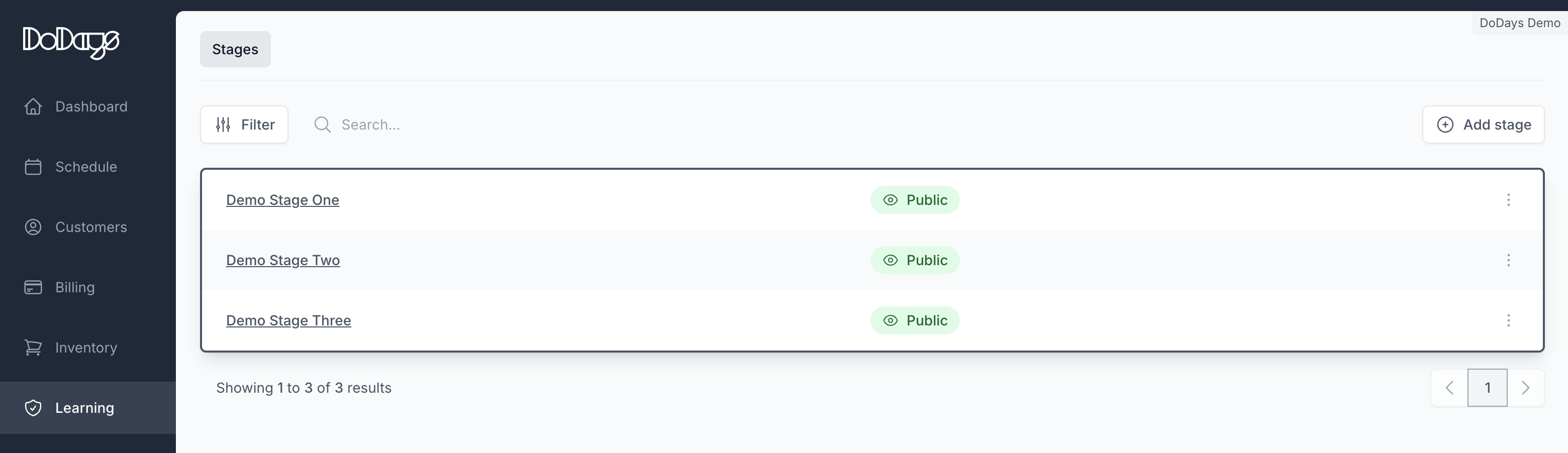
To create a stage, click Add stage and give it a name. The name is what teachers and families will see, so keep it short and recognisable - "Stage 1", "Tadpole" or "Grade 2 Theory" rather than a long descriptive sentence.
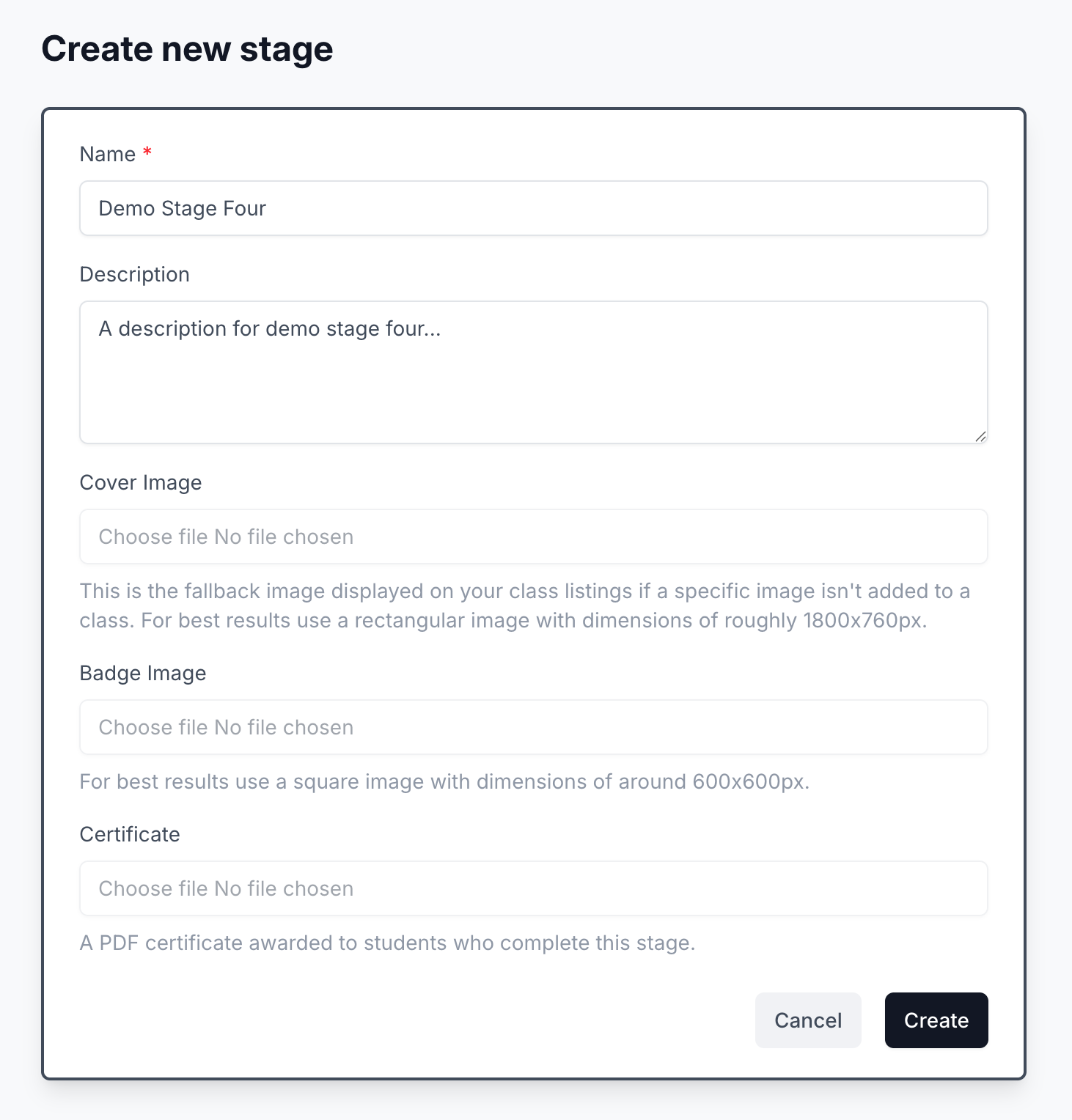
Stage description
The Description field is read by families. Use it to explain in a sentence or two what the stage covers and what completing it means - friendly and encouraging, not a syllabus dump.
Class image
You can also upload a Class image for the stage. This image will be used as the default image for every class assigned to this stage that doesn't have its own image attached.
This saves you uploading the same image to every class individually. See Custom class images for the full hierarchy of class image fallbacks.
TIP
For best results, use a rectangular image of roughly 1800x760px.
Stage badge
Upload a Badge Image to give the stage its own artwork - this is what families see against the stage in their account.
TIP
For best results use a square PNG with a transparent background, around 600x600px. A transparent background lets the badge sit cleanly without a visible box around it.
The badge shows in full colour once the stage is awarded, and greyed out for the stage a student is working towards - a visible "next badge to earn". Without one, families see a default badge.
Stage certificate
Upload a Certificate as a PDF. Families can download it from their account once the stage is awarded, so A4 portrait is the safest choice for printing at home.
WARNING
The certificate is a stage template, not a per-student document - the same file is shared with every student who completes the stage. Don't include any student-specific details such as a child's name, dates, or other personal information.
TIP
Curious how this looks to families? See Your awards, certificates, and learning journey.
What's next
A stage on its own doesn't track anything yet - the goals you add to it are what give it meaning.