
Appearance
Awarding a stage to a student
Awarding a stage marks the moment a student has completed it - they've worked through the goals and are ready to move on to the next stage in your syllabus.
How to award a stage
Open the student's profile from the Customers area and find the Progress section.
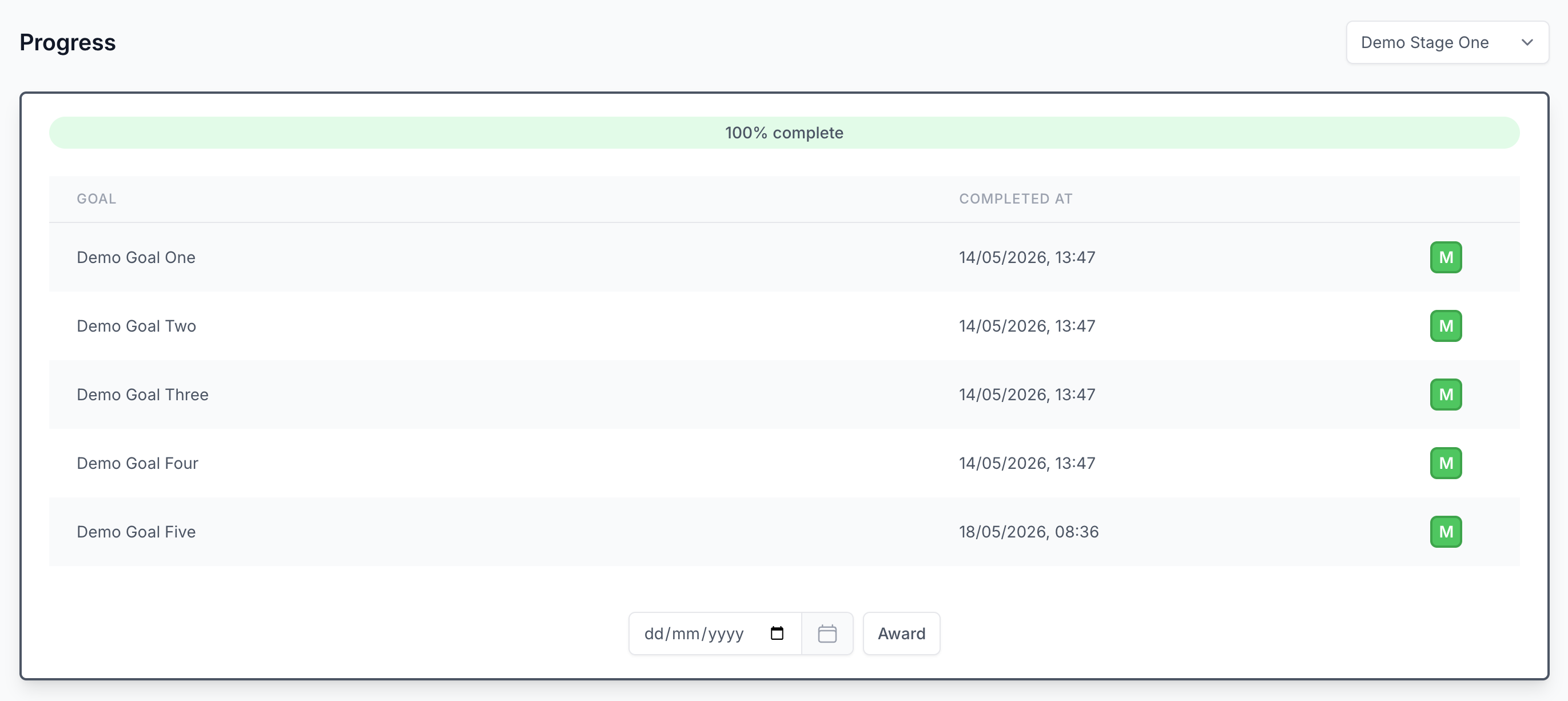
From here you'll see the stage the student is currently working on. Once they've completed all goals, you can provide an optional award date and click Award to confirm.

That's the entire mechanic - there's no separate "completed" checklist to tick. Awarding a stage is the explicit signal that this stage is done for this student.
What happens next
Once a stage is awarded:
- The family sees the award reflected on the student's progress page in their account.
- If you use the ActiveCampaign integration, the Last Stage Awarded custom field on the family's contact updates straight away - handy for triggering progression-related communications.
TIP
Awarding a stage is a deliberate, celebratory moment for the family. We recommend treating it that way: award the stage in the session itself rather than batching awards at the end of the term, so the message reaches families while the achievement is still fresh.